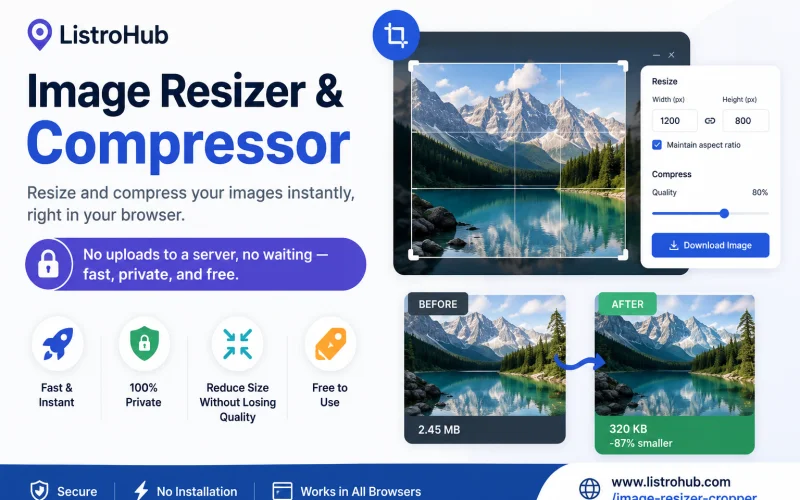
Images play a crucial role in websites, blogs, online stores, and social media. However, large image files can slow down your website, consume more storage space, and affect user experience. That's why image resizing and compression are essential for anyone who works with digital content.
The ListroHub Image Resizer & Compressor is a fast, free, and privacy-focused tool that allows you to resize and compress images directly in your browser. Unlike many online image tools, your files are never uploaded to a server, ensuring complete privacy and faster processing.
Large images can create several challenges:
By resizing and compressing your images, you can significantly reduce file size while maintaining excellent visual quality.
The tool works directly in your browser, so image processing happens instantly without waiting for server uploads.
Your images remain on your device. Since files are not uploaded to external servers, your personal and business data stay secure.
There are no hidden charges, subscriptions, or limitations for basic image optimization.
Resize images to your desired dimensions and compress them efficiently while preserving image clarity and detail.
Use the tool on desktops, tablets, or smartphones for convenient image optimization anywhere.
The ListroHub Image Resizer & Compressor is ideal for:
Whether you're preparing images for a website, online marketplace, portfolio, or social media platform, this tool helps you create optimized images quickly.
Using the tool is simple:
No registration, software installation, or technical knowledge is required.
Search engines prioritize fast-loading websites. Optimized images contribute to:
By regularly resizing and compressing your images, you can improve both user experience and SEO performance.
If you're looking for a reliable, secure, and easy-to-use image optimization tool, try the ListroHub Image Resizer & Compressor today.
Visit:
https://www.listrohub.com/image-resizer-cropper
Resize and compress your images instantly, right in your browser. No uploads to a server, no waiting—just fast, private, and free image optimization whenever you need it.








Get the latest updates delivered straight to your inbox. No spam — unsubscribe any time.
Join thousands of subscribers
Protected by reCAPTCHA. Your data is safe — we never share your information.


Get free quotes from verified businesses near you.
Chat with Support
Comments